
How to Search the Seminole County Jail Roster
The Sheriff's custody portal is the official inmate search. You reach it from the Correctional Facility page, or directly at the Northpointe custody site. The public view is set to current inmates. You can search by last name, first name, middle name, age, race, gender, or booking number. Results show name, age, race, and gender, and each name links to a full booking profile.
The custody portal search form, shown below from the Seminole custody portal, holds these fields.
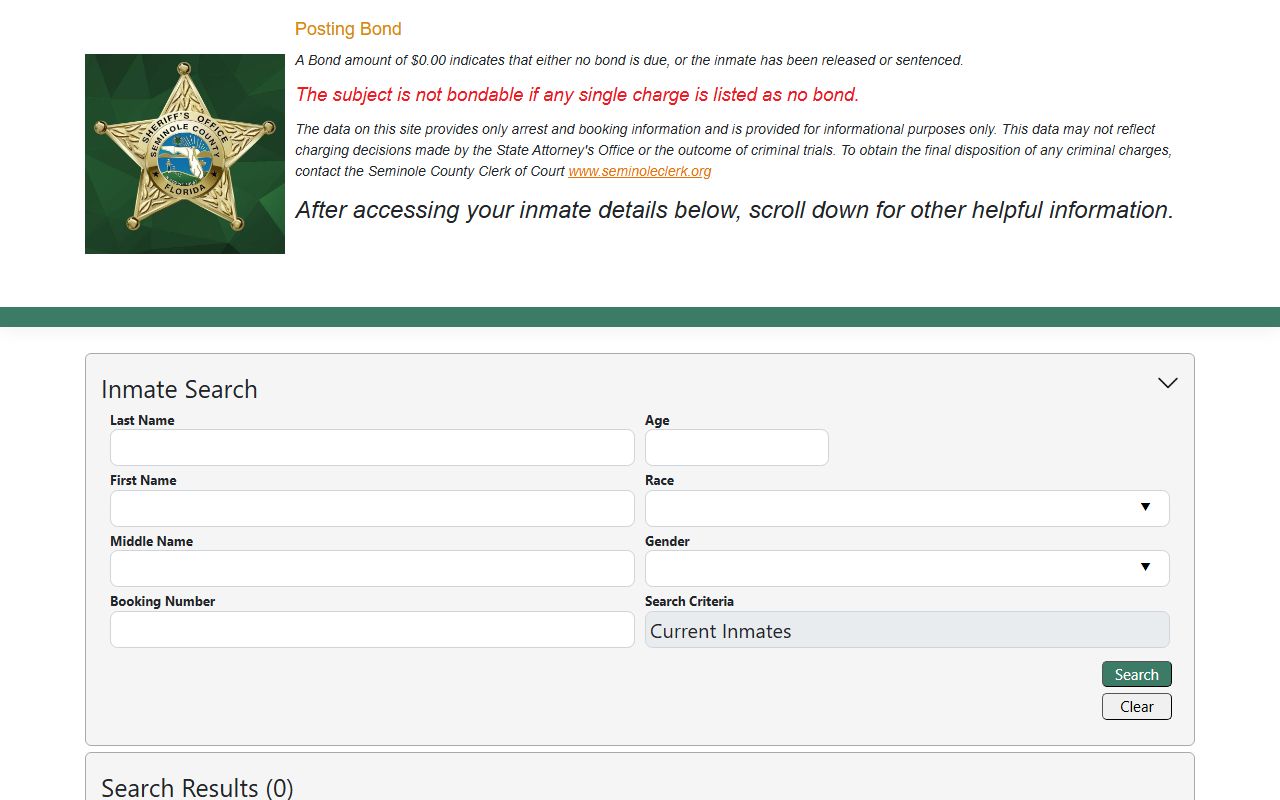
| Field | Type | Required | Notes |
|---|---|---|---|
| Last Name | Text | No | Starts-with filter. |
| First Name | Text | No | Starts-with filter. |
| Middle Name | Text | No | Starts-with filter. |
| Age | Number | No | Exact numeric filter. |
| Race / Gender | Dropdown | No | Blank, or the listed codes. |
| Booking Number | Text | No | Exact booking-number filter. |
How to Use the Roster Step by Step
The roster works best with a name and a little patience. The starts-with filters reward a correct spelling, so try a short last name first if you are unsure.
- Open the Sheriff's custody portal from the Correctional Facility page.
- Type the last name, and add a first name to narrow a common surname.
- Run the search and scan the result grid for name, age, race, and gender.
- Click the name to open the full booking profile.
- Read the charges, bond, and next court date on the profile.
If no current result appears, the person may have been released or never booked here. Try VINELink or the Clerk criminal portal next.
What a Seminole Inmate Profile Shows
The booking profile is detailed. It opens with the name and a mugshot area, then lists demographics and the booking record. A charge grid breaks down each count. Booking numbers are long, year-prefixed strings, such as 202500006455.
| Field | What It Shows |
|---|---|
| Name and Demographics | Name, age, gender, race, height, weight, hair, and eyes. |
| Booking Number and Date | The booking that opened the record and when it happened. |
| Status | Current inmate, released, or sentenced. |
| Assigned Facility | John E. Polk Correctional Facility. |
| Arresting Agency | The Sheriff or a city police department. |
| Total Bond | The combined bond across charges. |
| Charge Grid | Charge, class, court case number, court, next court date, bond type, bond amount, and disposition. |
Booking Data Is Not the Final Record
The custody portal carries a clear disclaimer. It provides arrest and booking information only. It may not reflect the State Attorney's charging decisions or the trial outcome, and final dispositions must be obtained from the Clerk. So a booking shows what police brought a person in on, not how the case ended.
To trace the court case to its end, move from the jail roster to the Clerk. The Seminole County criminal records page explains the difference, and the court records page covers the case file.
Note: A "Not Filed" disposition on a charge means the State Attorney has not yet decided whether to formally file it.
Bond and No-Bond Rules
Bond shows on the profile per charge. The portal warns that a $0.00 bond can mean no bond is due, the person was released, or the person was sentenced. If any single charge reads no bond, the person is not bondable until a judge changes it. Initial bond amounts follow a schedule set by administrative order. First appearance, where a judge reviews custody and bond, is held at the jail in courtroom J-2, usually within 24 to 48 hours.
Read the status line with the dollar amount. One no-bond charge can hold someone even when the rest carry a set bond.
Jail Facility Address and Contacts
The county jail is the John E. Polk Correctional Facility on Eslinger Way, run by the Sheriff's Office next door. Both sit in the Sanford justice campus. First appearance hearings are held inside the facility.
John E. Polk Correctional Facility
211 Eslinger Way
Sanford, FL 32773
407-665-6650
Seminole County Sheriff's Office
100 Eslinger Way
Sanford, FL 32773
407-665-6650
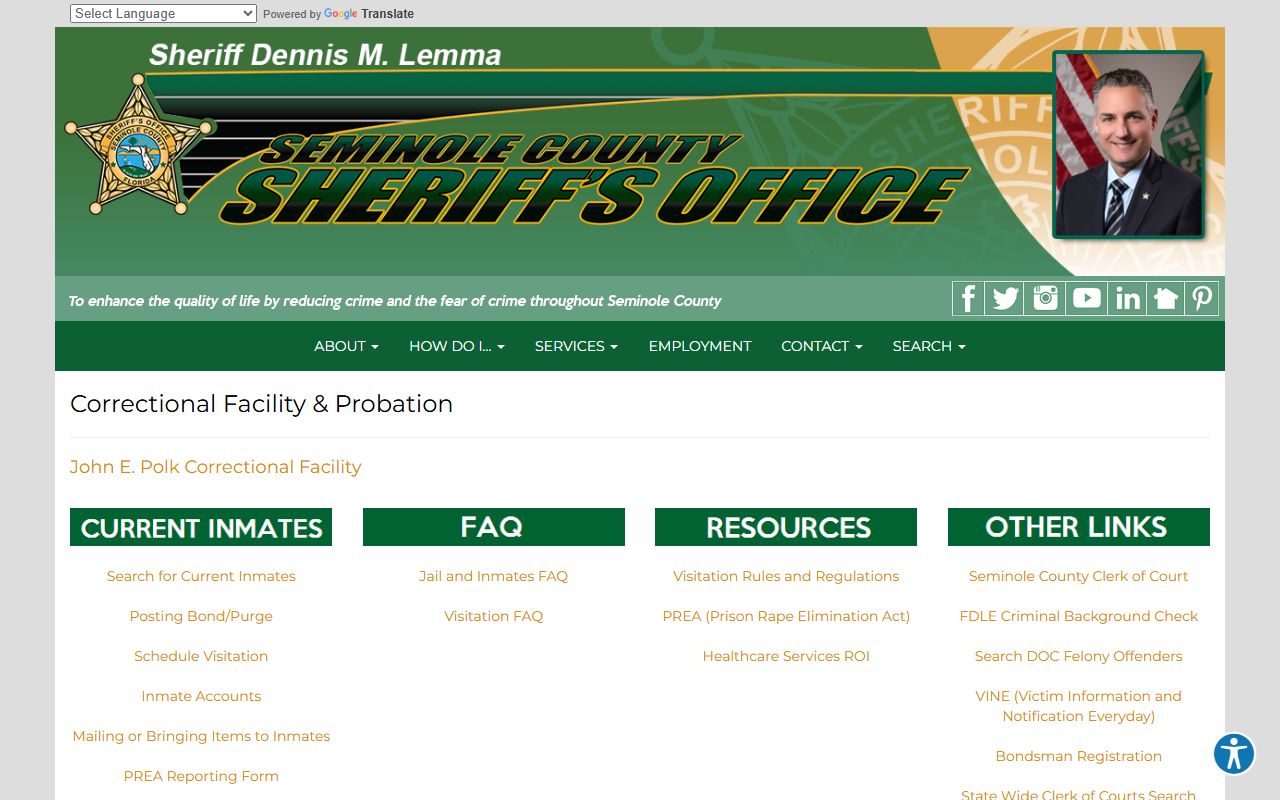
The Sheriff's Correctional Facility page links inmate search, bond, visitation, mail, and accounts, as shown below.
Visiting a Seminole County Inmate
Visitation at John E. Polk is onsite video at the Control 1 visitation room, and it is free to the visitor and inmate. Remote video is also offered for a small fee. You must schedule through a SmartJailMail account at least 24 hours ahead. Each inmate gets two 30-minute onsite visits per day, with a weekly cap of four visits totaling two hours.
| Visitation Rule | Detail |
|---|---|
| Onsite video | Free, at the Control 1 visitation room. |
| Scheduling | SmartJailMail account, at least 24 hours ahead. |
| Visit length | Two 30-minute onsite visits per day. |
| Weekly limit | Four onsite visits, two hours total. |
| Arrival | 30 minutes early with government photo ID. |
| Allowed items | ID and car keys only; lockers cost 25 cents. |
Only one adult visitor is allowed per scheduled visit, and a scheduled visitor may bring up to two children. The visitation rules page covers dress, behavior, and prohibited items in full.
Mail and MailGuard
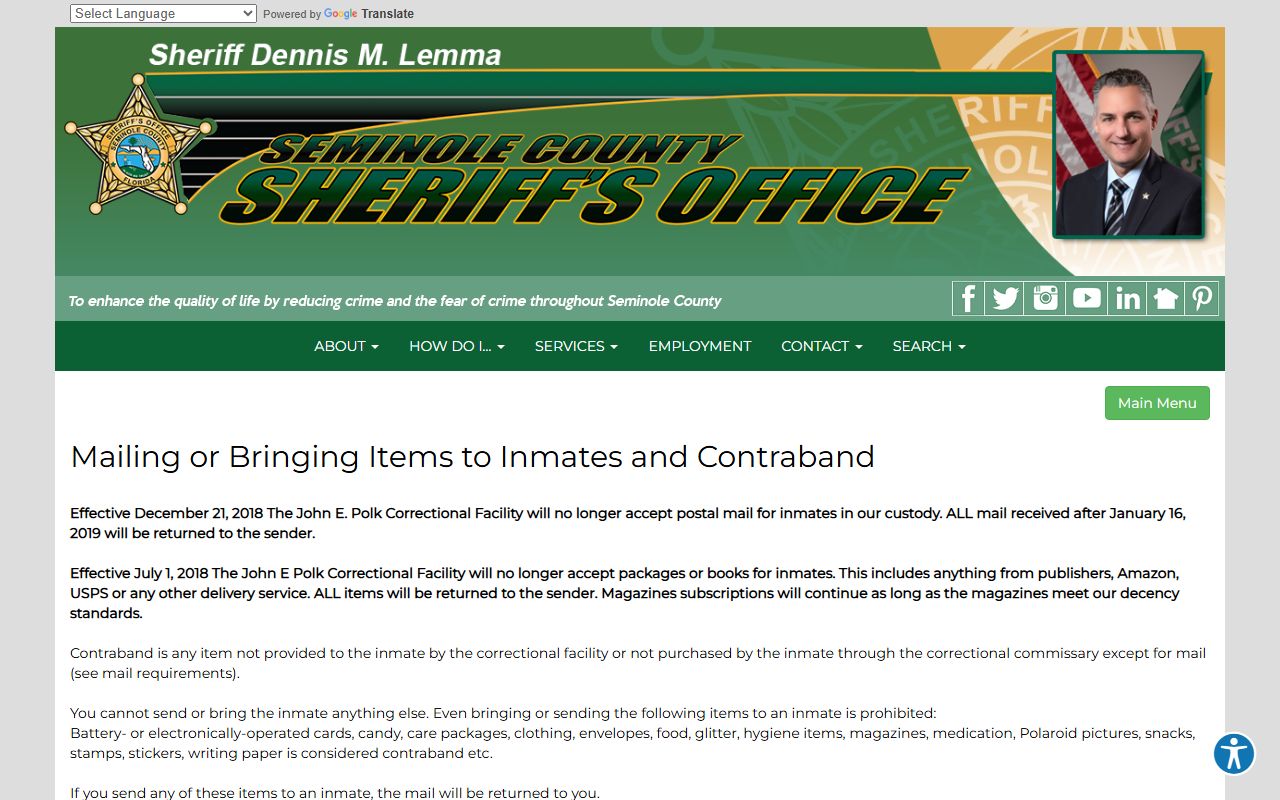
Inmate mail changed in 2018 and 2019. The facility no longer takes postal mail or packages directly. Regular letters now go through Smart Communications MailGuard, are scanned, and appear on the inmate kiosk. Address mail to SCSO-SCH, the inmate's name and booking number, PO Box 1907, Pinellas Park, FL 33780. Legal mail and approved magazine subscriptions still go directly to the facility at 211 Eslinger Way, and legal mail is opened in front of the inmate.
The mail rules page, shown below, lays out the MailGuard process and what still goes to the facility.
Adding Money to an Inmate Account
You can fund an inmate account several ways. Online deposits run through AccessCorrections.com with Visa or Mastercard. Phone deposits use 1-866-345-1884. Cash walk-in options include CashPayToday and ACE Cash Express. Mailed money orders need the deposit form and go to Secure Deposits, Seminole County, PO Box 12486, St. Louis, MO 63132. Lobby kiosks in Release Control and the Main Lobby take cash and cards.
Deposited funds are not returned, and they may only be released to an attorney or bail agent for posting bond. Personal and business checks are not accepted for mailed funds.
Inmates also place phone calls through the facility's phone system, which the Sheriff's Correctional Facility page links along with attorney visits and the PREA reporting form. Calls and most visits are recorded, and account funds can cover phone and commissary use depending on the provider.
Booking and Classification at John E. Polk
What happens after an arrest shapes the record you see. At intake, the facility books the person, takes demographics, and starts a custody file with the long booking number. Inmates are issued an identification wristband during booking and must wear it on the left wrist. The jail uses unit management, with housing zones and pods, count procedures, and regular searches. Contraband is broadly defined as any item not sold in commissary, not issued by the facility, altered, or held in excess.
Classification decides how an inmate moves and where they are housed. Minimum and medium custody male inmates may qualify for a yellow-pass movement system, while maximum, high-medium, federal, juvenile, female, and medically segregated inmates are escorted by detention deputies. These rules explain why a profile may show limited detail and why visitation and movement are tightly scheduled. The inmate handbook covers screening, grievances, and security in more depth.
None of this changes the court case. Classification is a jail-management matter, and the case still moves through the Clerk and the court on its own track.
Onsite Video Visitation Setup
The free onsite video system runs through SmartJailMail. You create an account, get a QuickAccess code, and schedule a slot at least 24 hours before the visit. On the day, go to the John E. Polk Correctional Facility, arrive 30 minutes early, and present a government photo ID that shows your date of birth at Control Room 1. Late arrivals after the start time are not allowed, and a visit can be denied or cut short for safety or order reasons.
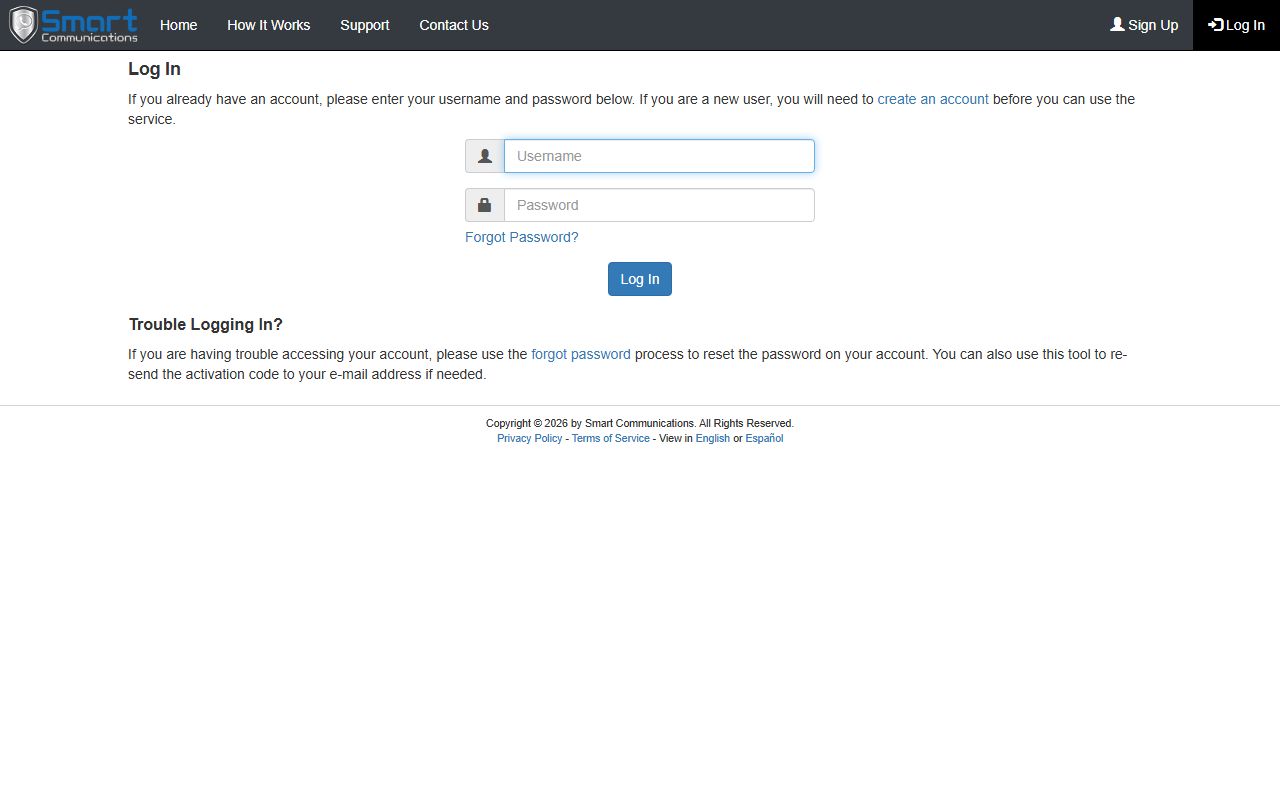
The SmartJailMail login, shown below, is where visits are booked and remote video can be set up.
Visits are monitored and recorded. Children under 18 must be with a parent or guardian, and visitors may be searched if there is reason to believe they hold contraband.
Finding Released or Transferred Inmates
The public roster is set to current inmates, so a released person may not appear. For release status, try VINELink for custody notifications, or the Clerk criminal portal for the case. For someone sent to state prison, search the Florida Department of Corrections. For a federal inmate, search the Bureau of Prisons. The county roster only covers people held at the local jail, so a transfer to state or federal custody moves the record to a different system.
The Seminole County released inmates page walks through each of these tools, and the inmate population page covers jail counts.