
How to Search Seminole County Court Records
The Clerk's Search for a Court Case page is the official front door. It links every public portal: Civil Cases for civil, family, and probate; Criminal Cases for felonies, misdemeanors, and criminal traffic; Traffic Citations for tickets; Official Records for recorded documents; and Court Events for hearing calendars. Pick the portal first, then search inside it. The portals are free and need no account for basic searches, though a registered login unlocks some extra access.
Get your details ready before you begin. A correct name spelling helps, and a case number is faster still. Set a tight date range so a broad search does not time out or hit the 500-record cap.
The official menu groups every portal in one place, as the Seminole Clerk court search page shows below.
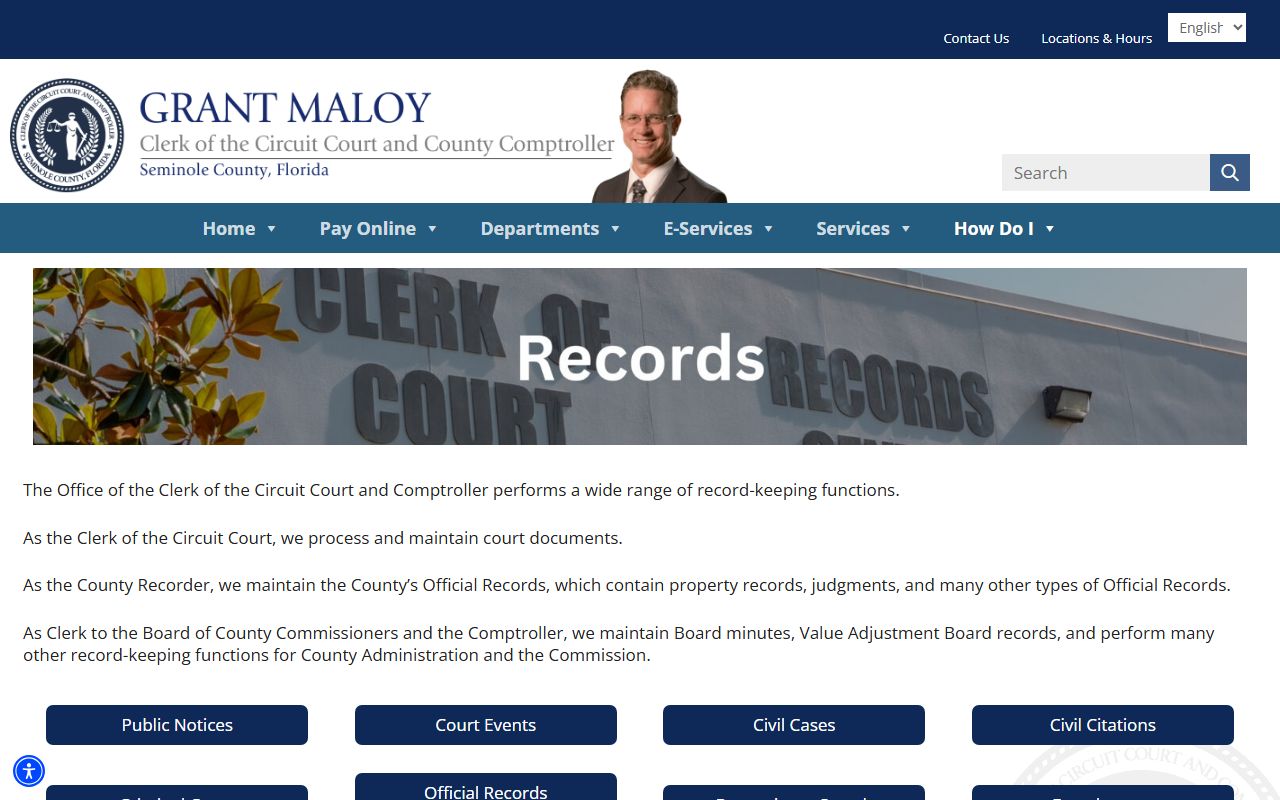
Start there each time so you do not land in the wrong portal and miss the case.
- Open the Clerk's Search for a Court Case page and choose the matching portal.
- Type a party name, or a case number for a single file.
- Check the case-category boxes that fit your search.
- Add a filing-date range to narrow the list.
- Open the docket, then request a certified copy if you need an official record.
Seminole County Court Records Search Fields
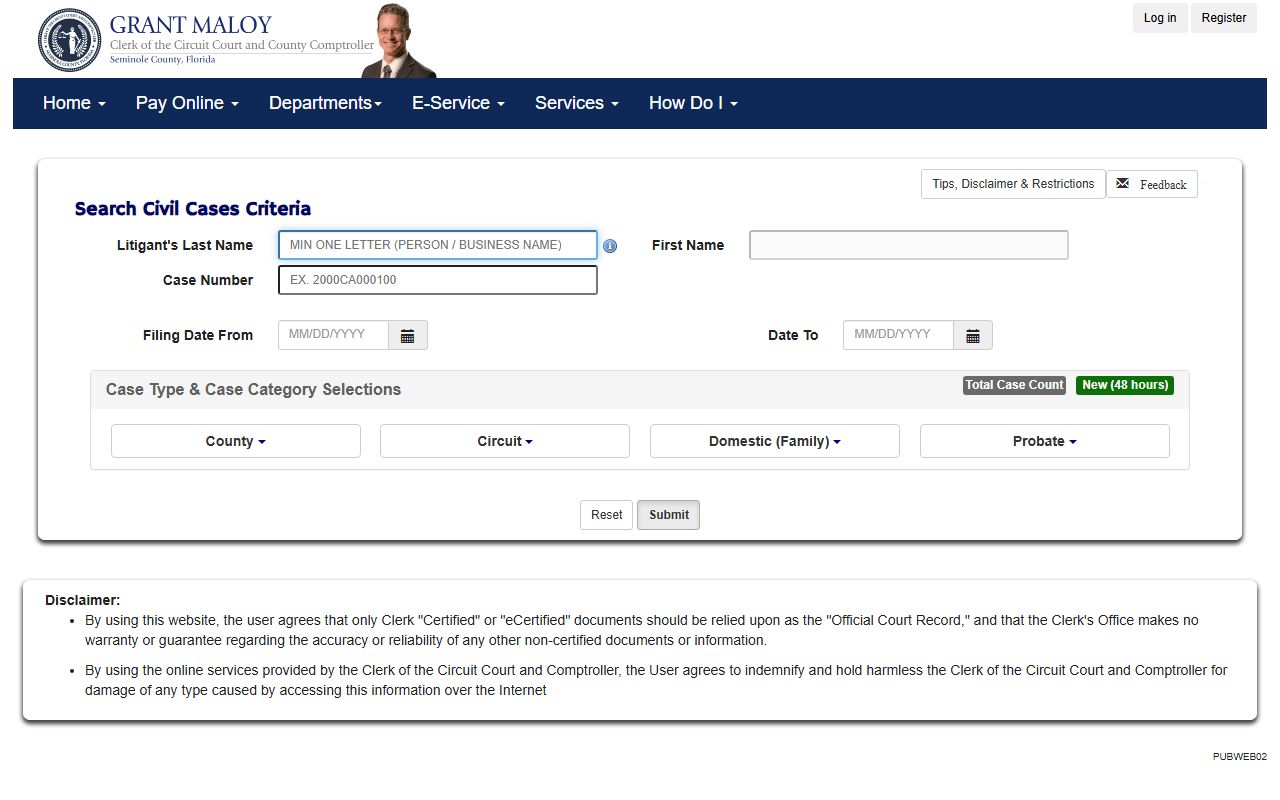
The civil portal at courtrecords.seminoleclerk.org handles civil, family, and probate cases. It uses a small set of search fields plus a long list of category checkboxes. You can leave the categories on their defaults or narrow them to one type. Business names go in the last-name field.
| Field Label | Type | Required | Notes / Format |
|---|---|---|---|
| Litigant's Last Name | Text | No | Business names allowed in this field. |
| First Name | Text | No | Used for person searches. |
| Case Number | Text | No | Letters and numbers only. |
| Filing Date From / To | Date | No | MM/DD/YYYY range. |
| Case Category Checkboxes | Checkbox group | No | Civil, family, and probate subtypes, default selected. |
The civil case search interface, shown below from the Seminole civil case portal, lays out these fields and category boxes together.
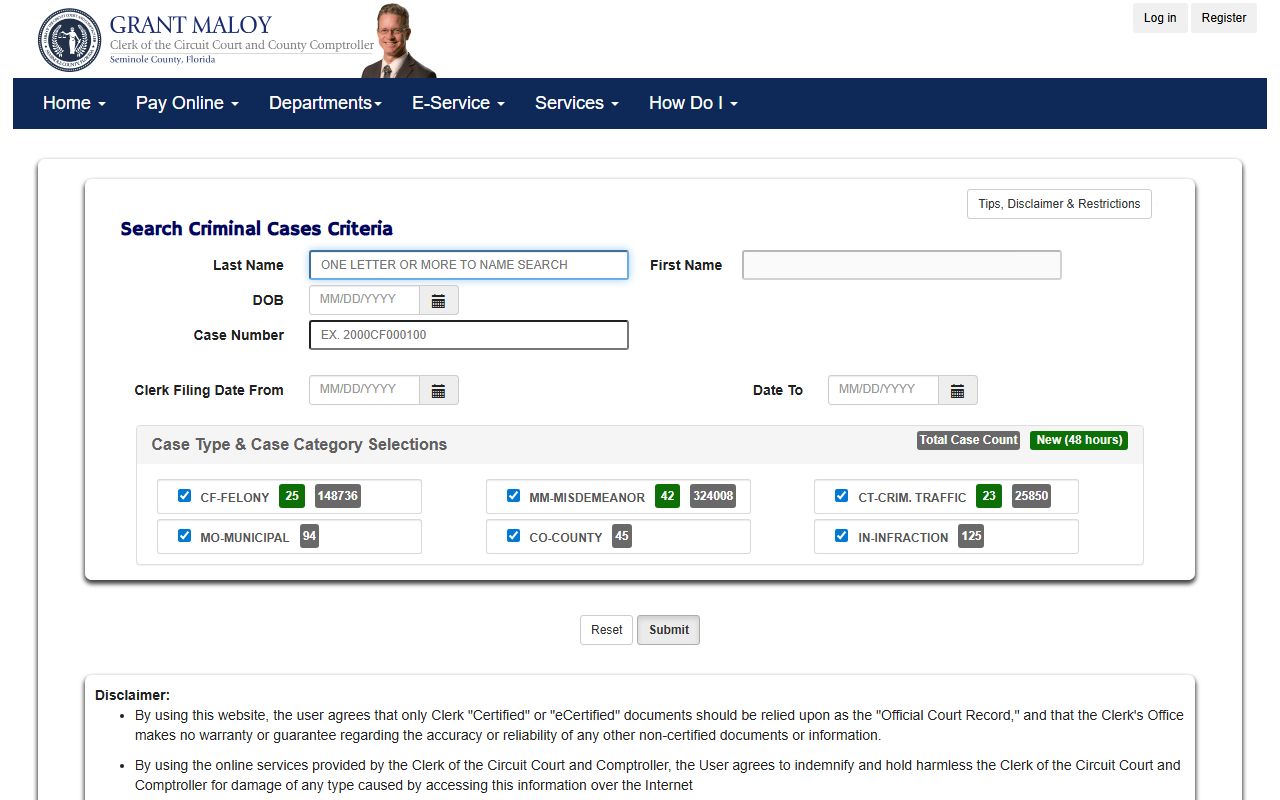
The criminal portal works the same way, but with felony, misdemeanor, and criminal-traffic category boxes instead.
Types of Seminole County Court Records
The Clerk keeps several record groups. Civil records include small claims under $8,000, county civil from $8,001 to $49,999, and circuit civil over $50,000, plus foreclosures, evictions, and injury suits. Criminal records cover felonies in Circuit Court and misdemeanors and criminal traffic in County Court. Family records hold dissolution, support, paternity, and custody. Probate holds estates, wills, and guardianship.
Felonies and large civil cases are Circuit Court matters. Misdemeanors, small claims, and most traffic are County Court matters. The same Clerk indexes both.
- Criminal and arrest records for felony, misdemeanor, and criminal traffic cases.
- Civil records for contracts, foreclosures, evictions, and injury claims.
- Family and divorce records for dissolution and support.
- Probate and guardianship records for estates and wills.
- Traffic court records for citations and hearings.
What Seminole County Court Records Show
Each case file holds a standard set of fields. A Seminole case number packs a year, a division code such as CF for felony, a sequence number, and a suffix letter. The portal even shows a sample of 2000CF000100. Docket entries can lag the docket date by several days, and scanned document images exist only for open cases from 2005 forward.
| Field | What It Shows |
|---|---|
| Case Number | Year, division code, sequence, and suffix that name the file. |
| Filing Date | When the Clerk opened the case or took the document. |
| Parties | Plaintiffs, defendants, petitioners, respondents, and businesses. |
| Docket Entries | The dated list of filings, hearings, and orders. |
| Disposition | The current or final outcome of the case. |
Only Clerk certified or eCertified copies count as the official record. The free view is fine for research but is not warranted by the Clerk.
Public Access Framework for Seminole County Court Records
Florida law favors open records. Chapter 119, the Public Records Act, gives the right to inspect and copy agency records unless an exemption applies. You can read the full text on the Florida Statutes Chapter 119 page. Court records also follow judicial-branch rules, and the Clerk operates under Florida Statutes Chapter 28.
Anyone may search the public portals without showing ID. Copies carry a fee, and certified copies add a per-document certification charge. The official-record certification add-on is $2.00 per document.
Note: Name searches do not return confidential cases, so a blank result does not always mean that no case exists.
Records That Are Sealed or Confidential in Seminole County
Some files are closed to the public. Juvenile delinquency, dependency, and adoption records are confidential under Florida law. Mental-health matters under the Baker Act and Marchman Act are protected. Sealed and expunged criminal records drop from public view once a court order is processed. Protected personal data, like a covered officer's home address, can be removed from Official Records under section 119.071.
To view a sealed record, you usually need statutory authority or a court order. Sealing and expunction follow Florida Statutes 943.0585 and 943.059. A petition is filed in the criminal case, served on the required agencies, and ruled on by a judge. Processing takes time, so a record may stay visible for a while after a hearing.
In-Person Court Record Requests
You can also get records in person. The Criminal Justice Center is the full-service civil and criminal counter during the current renovation. Bring photo ID and the case number if you have it. The certification add-on for a certified copy is $2.00 per document, and copy fees should be confirmed on the Clerk's current schedule.
Seminole Clerk of the Circuit Court
101 Eslinger Way
Sanford, FL 32773
407-665-4300
Mon-Fri 8:00 AM - 4:30 PM
Older Seminole County Court Records
The online portals do not hold everything. The Clerk's notice says most case indexes start in 1985, and scanned document images begin with open cases from 2005. A docket index can exist online while the actual document image does not. That gap matters when you need a paper from an older or closed case. For those files, contact the Clerk directly and expect a search fee and a copy fee.
Old dockets can also name courts that no longer exist. Before Florida's 1972 court reform, the area used a Court of Record, a Magistrate's Court, County Judge's Courts, and Justice of the Peace Courts. A reference to one of those is normal on a very old file. If a record is not online, the Clerk can tell you whether it sits in archives or on microfilm.
Note: dockets may not appear for several days after the docket date because of indexing and review, so wait before assuming nothing was filed.
Certified Copies and Document Images
There is a clear split between viewing a record and getting an official one. The free portal lets you read a docket and, where allowed, open a scanned image. To open images you need a working PDF viewer in your browser. For court, business, or legal use, you need a certified or eCertified copy from the Clerk, because the office does not warrant the free online data.
A certified copy is stamped by the Clerk as a true copy. An eCertified copy is the electronic version, issued with a verification code. Both can be requested from the Clerk, and the certification add-on is $2.00 per document on official records. Heavy users should also know the portal shows a CAPTCHA after 20 requests or image retrievals in an hour.